WARDOGS System Requirements, Best Settings & Crash Fixes
WARDOGS harnesses modern rendering, dynamic weather, and environmental destruction to deliver realistic 100-player tactical warfare. To run smoothly, the developers specify 16 GB RAM and 50 GB of storage as baseline standards across all configurations. This guide details the official Minimum and Recommended hardware specifications, the best competitive graphics settings for maximum FPS, and step-by-step troubleshooting solutions for startup crashes and launch errors.
- Memory (RAM)
- 16 GB (Min & Rec)
- Storage Space
- 50 GB Available Space
- Minimum Target
- 1080p Low @ 60 FPS (Upscaled)
- Recommended Target
- 1440p Med @ 70+ FPS (Native)
Minimum PC System Requirements
| Component | Specification |
|---|---|
| Operating System (OS) | Windows 10 64-bit (Latest Update) |
| Processor (CPU) | Intel Core i5-8600 or AMD Ryzen 5 3500 |
| Memory (RAM) | 16 GB RAM |
| Graphics Card (GPU) | Nvidia GeForce GTX 1660 (6GB) or AMD Radeon RX 590 (8GB) |
| DirectX Version | DirectX 12 |
| Storage Space | 50 GB available space |
| Performance Target | 1080p Low Settings @ 60 FPS (with Upscaling) |
The Minimum specification is designed to deliver a stable 60 FPS at 1080p resolution on Low settings utilizing DLSS or FSR upscaling.
Recommended PC System Requirements
| Component | Specification |
|---|---|
| Operating System (OS) | Windows 11 64-bit |
| Processor (CPU) | Intel Core i7-12700K or AMD Ryzen 7 5700X |
| Memory (RAM) | 16 GB RAM |
| Graphics Card (GPU) | Nvidia GeForce RTX 3070 (8GB) or AMD Radeon RX 6700 XT (12GB) |
| DirectX Version | DirectX 12 |
| Storage Space | 50 GB available space (SSD strongly recommended) |
| Performance Target | 1440p Medium @ 70+ FPS (Native) or 4K Medium @ 60+ FPS (Upscaled) |
The Recommended hardware allows players to experience fluid 1440p gameplay above 70 FPS natively, or crisp 4K gaming above 60 FPS using Quality-mode upscalers.
Best Graphics Settings for High FPS & Enemy Visibility
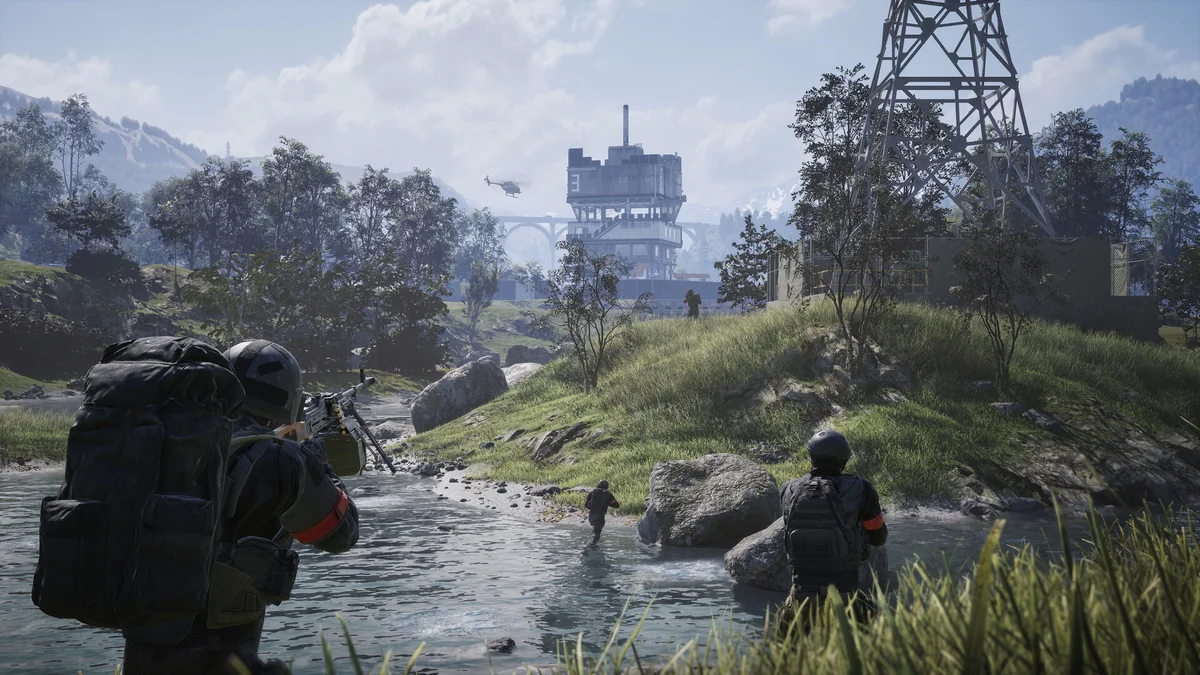
To maximize frame rates and spot enemy infantry across dense foliage in WARDOGS, apply these optimized competitive graphics presets in your video settings:
Display Mode: Fullscreen Exclusive (reduces desktop windowing input lag).
Upscaling Technology: Nvidia DLSS or AMD FSR set to Quality or Balanced.
Shadow Quality: Low or Medium (significantly improves GPU frame rendering time without obscuring targets).
Volumetric Fog & Clouds: Low (removes haze and clarifies long-range sniper sightlines).
Foliage Quality: Medium (maintains essential cover rendering while optimizing draw-call overhead).
Motion Blur & Depth of Field: Off (essential for crisp target acquisition during fast turns).
Troubleshooting: Crashing on Startup & Error Fixes
If WARDOGS fails to launch, crashes upon loading the map, or throws an error code (such as Error Code 1147405308 or 0xc0000142), apply these proven fixes:
1. Verify Steam Game Files: In Steam, right-click WARDOGS > Properties > Installed Files > Click Verify integrity of game files. Corrupted beta shaders frequently trigger launch crashes.
2. Update GPU Drivers: Perform a clean installation of the latest Nvidia GeForce Game Ready (or AMD Adrenalin) drivers supporting DirectX 12 All-Out Warfare titles.
3. Anticheat & C++ Redistributable Repair: Reinstall the Visual C++ Redistributables (2015-2022) and run the Easy Anti-Cheat setup executable in the game directory as Administrator.
4. Windows Virtual Memory (Pagefile): Ensure Windows has a managed pagefile on your SSD with at least 16-24 GB of allocated virtual memory to prevent out-of-memory exceptions.
Storage & SSD Optimization
While the official Steam requirements list 50 GB of storage without mandating an SSD, installing WARDOGS onto a fast NVMe or SATA SSD is strongly recommended. Large 256 km² terrain streaming and procedural asset loading perform substantially smoother from solid-state drives, virtually eliminating micro-stutters during high-speed helicopter flights.
Frequently Asked Questions
What are the minimum PC specs for WARDOGS?
Windows 10, Intel Core i5-8600 or AMD Ryzen 5 3500, 16 GB RAM, Nvidia GTX 1660 or AMD RX 590, and 50 GB storage space.
How much RAM do I need for WARDOGS?
WARDOGS requires a minimum of 16 GB RAM for both minimum and recommended tiers.
How do I fix WARDOGS crashing on startup or error 1147405308?
Verify game file integrity via Steam, update graphics drivers to the latest DirectX 12 release, reinstall Visual C++ Redistributables, and run the anticheat installer as admin.
What are the best settings for maximum FPS in WARDOGS?
Run Fullscreen Exclusive, set Shadows and Volumetric Fog to Low, set DLSS/FSR to Quality, and disable Motion Blur and Depth of Field.
Does WARDOGS require an SSD?
While not strictly mandated by the store page, installing WARDOGS on an SSD is strongly advised to prevent terrain streaming stutters across the 256 km² map.
Last updated: 2026-08-26